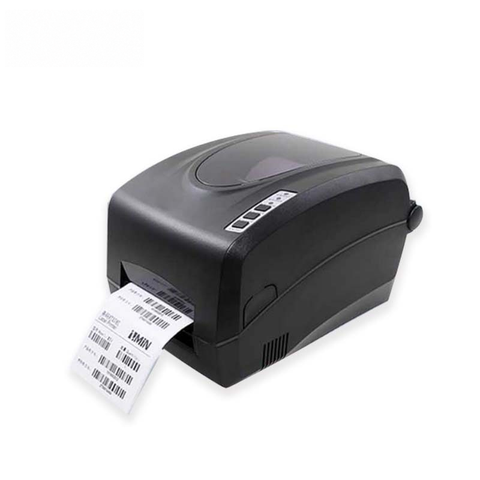
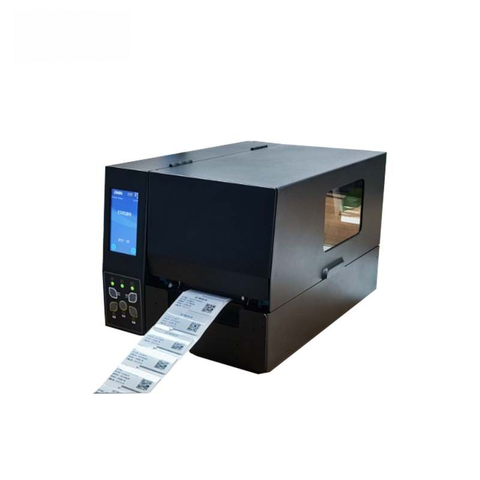
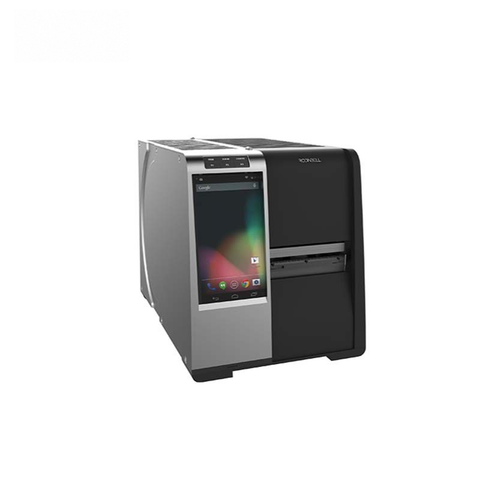
UHF RFID label printers combine printed artwork and electronic tag data in a configured workflow. Start with the actual roll, software and daily production task. Rivotag reviews desktop and industrial touchscreen catalogue options; the quoted manufacturer model, regional RFID option, firmware and media configuration must be confirmed before purchase.
Compare equipment starting points
| Catalogue option |
Format and listed interfaces |
Confirm for your project |
| RT-PR101 |
Desktop; USB, RS-232, RJ45 |
Resolution, media limits, software and your print-and-encode job |
| RT-L120 |
Industrial touchscreen; USB, RJ45 |
Manufacturer model, regional option, shift workload and error reporting |
| RT-L119 |
Touchscreen; USB, RJ45 |
Exact configuration and documented differences from RT-L120 |
These are catalogue options for an equipment enquiry, not interchangeable specifications or a compatibility approval. Request the current manufacturer manual for the proposed unit. Similar interface or print-speed figures do not establish identical RFID hardware, software support or accepted-label output.
Check the printer and label together
Provide daily and peak output, batch sizes, shifts, artwork, barcode and EPC payload. Choose print resolution and method against the required mark and face material. Confirm the proposed model’s duty cycle and software support with its documentation. Measure correctly printed and encoded labels in a full sample job; nominal inches per second is not an accepted-label production rate.
Media compatibility includes width, liner, pitch, thickness, inlay position and chip. A printable face does not establish RFID encoding compatibility. On-metal constructions can require a dedicated media or printer configuration. Run calibration and printing with the proposed sample roll, then verify printed identity and decoded data against the input file.
Check regional frequency support, drivers or command language, network integration and how the printer reports encoding errors to your system. Test rejected-label handling, retries and duplicate detection. Compare the printed barcode, decoded EPC and source record on the same accepted label, and reconcile accepted, rejected and replacement counts.
Use the RFID label printer buying guide to prepare the equipment trial and acceptance record. Calibration procedures are model-specific; a vendor example is not a command recipe for every printer.
Prepare an equipment enquiry
Send the number of printers, deployment country, current software, daily and peak label output, media drawing and sample data. Add installation conditions, maintenance and spare-parts requirements and the required delivery date. Hardware availability, media-trial arrangements, fees, freight, pricing and supply schedules are confirmed in the quotation. Certificates or test evidence should relate to the proposed equipment and configuration.
Ask about an RFID printer configuration, or prepare the media and data brief with the printing and encoding checklist.