Start here
Choose a reader around the capture task, deployment country and software connection. Approve the actual equipment configuration and a representative tag trial before purchasing.
1. Define the task and expected item record
Decide whether an operator presents items at a workstation or carries a reader along shelves, racks or an asset route. Describe the item quantity, tag position, working space and time available for each task. For a desktop trial, include nearby tags that should stay outside the result. For a handheld trial, mark the route, item orientation and operator actions.
Define the expected result in your software: identifying one item, verifying an encoded label, reconciling a known item list or locating a specified asset. Supply a complete example RFID record and the item record it should retrieve. A stream of reader events needs agreed interpretation and record mapping before it becomes a useful inventory result.
- Give the number of reader units, workstations or operators required.
- Provide tag models, tagged-item photos and the expected item list for a pilot.
- Set the capture window and acceptable missed or unwanted reads for each task.
2. Confirm the exact reader and regional configuration
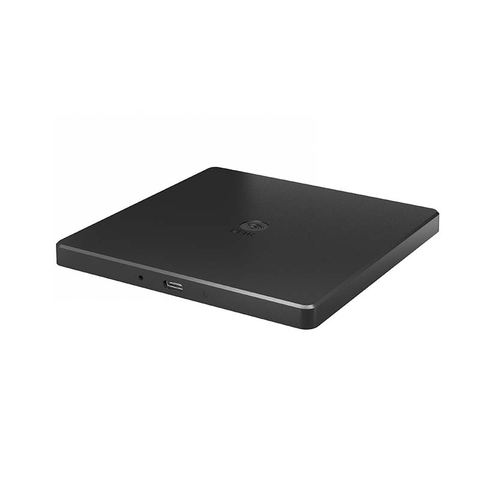
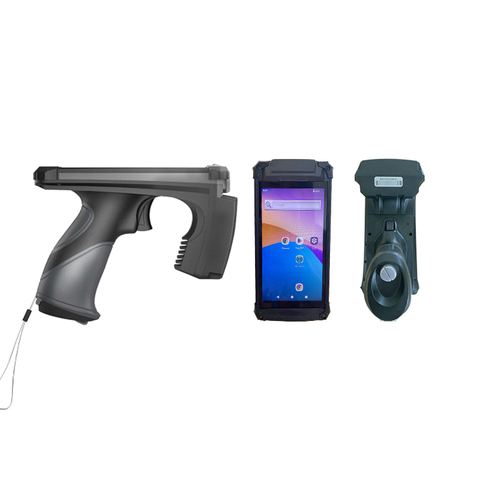
Request the actual manufacturer, complete model and orderable configuration, firmware, supported tag protocols and deployment-country documentation. RT-RD102 and RT-RD101 are Rivotag catalogue references for desktop and handheld formats. Their images illustrate catalogue equipment; confirm the supplied unit and configuration against the quotation and manufacturer documents.
GS1 Gen2 defines the UHF reader-to-tag air interface and distinguishes mandatory and optional commands. Confirm the required functions in the proposed reader, firmware and host API. A tag IC, processor or reader-module datasheet does not establish the assembled device’s interfaces, supported commands or approvals. UHF support also does not establish HF or NFC support.
List every deployment country and ask for the applicable regional hardware or configuration, permitted operating settings and approval documents for the exact unit. A wide frequency range in a tag entry does not identify the reader’s regional configuration. Record the approved equipment and settings for repeat purchases.
Reference: GS1 Gen2 UHF air-interface standard: scope and command support (PDF).
3. Review the antenna, power and physical setup
Confirm whether the proposed unit uses an integrated antenna or external antennas, and obtain its supported ports, antenna specifications, cables, power supply and mounting requirements. Mark the intended read zone and nearby tagged stock. Approve the configuration as a complete installation rather than choosing from a headline distance claim.
For a handheld, review the actual grip, weight, operator route, charging arrangement and required operating time. Obtain manufacturer evidence for the supplied battery, replacement procedure, environmental limits and any IP or drop rating. For a desktop, confirm bench space, item presentation, power and the connection to the host. Device dimensions, OS, accessories and physical ratings need the actual model documentation.
If the task involves a portal, moving items or access events, give the integrator the layout, movement and required event logic. Antennas, triggers, software and acceptance tests need a separate system design. These two catalogue formats alone do not establish portal coverage, movement direction, access decisions or timing accuracy.
4. Prove the host connection and data operations
Name the host OS and version, inventory or asset application, required connection and integration owner. Ask for the exact device’s SDK or driver, version, supported platforms, API documentation, sample application and licensing terms. A USB, Bluetooth or network connection does not establish that your application can receive the required data or issue the required commands.
Zebra’s Android SDK page lists supported devices and OS versions, while its cited MAUI Android manual describes handheld reader operations and reports. These are examples of manufacturer documentation to request for the proposed unit; they do not identify either Rivotag catalogue reader as Zebra equipment or establish support for a Zebra SDK.
Test the complete RFID output with your application. Agree the full EPC value and length, representation and leading-zero handling; specify TID or other memory reads when required and supported. Define any required timestamp, antenna, signal or operation-status fields explicitly. If encoding is needed, qualify the memory operations, target-tag selection, readback and lock policy with the exact tag and API.
- Map a decoded RFID record to the correct expected item without truncation or format conversion errors.
- Agree how repeated events, unexpected tags and failed operations are handled.
- Test connection loss, reconnection and application restart without silently losing or duplicating accepted records.
Reference: Zebra Android RFID SDK 2.0.5.275: supported-device and OS example.
5. Trial the reader with real items and software
Use the intended tag models on representative finished items, including difficult materials, positions, orientations and packing density. Run the actual workstation presentation or handheld route using the proposed regional settings, antenna and host software. Keep nearby stock in realistic positions so unwanted reads are visible in the trial.
Compare decoded results with the expected item list within the agreed capture window. Record unique expected items captured, missed items, unwanted items, repeated events, elapsed time and incorrect software mappings separately. A tags-per-second figure or an open-air maximum range cannot prove complete shelf, carton or workstation capture.
The cited Zebra handheld SDK manual distinguishes inventory reports from requested memory-access results and shows that report fields and antenna information affect event representation. Use the proposed manufacturer’s documentation to configure and interpret its output. For an encoding trial, select the intended tag, verify the written data and record failures or retries separately from ordinary inventory reads.
- Log the actual manufacturer model, equipment configuration, firmware, country setting and host SDK version.
- Record antenna arrangement, power setting, tag model, supplied chip, item material and tag position.
- Save the expected list, complete output records, software result and exception log for repeat trials.
Reference: Zebra MAUI Android RFID SDK 2.0.4.190: handheld configuration and report examples.
6. Request the equipment and tag-trial quotation
Send device quantity, desktop presentation or handheld routes, deployment countries, tag models, item photos and pilot tag quantities. Include the complete RFID record, expected software result, host OS and application, required SDK or driver functions, and any reading, encoding or lock requirements. Add the required delivery date and installation or integration responsibilities.
Ask the quotation to identify the actual manufacturer model, regional configuration and firmware, and to list the included antennas, cables, power supplies, chargers, docks and batteries as applicable. Confirm software licensing, current equipment availability, warranty, service and firmware support, trial equipment or tag fees, freight and supply timing. Agree the test conditions and acceptance criteria before selecting the configuration.
Two catalogue formats for a configuration enquiry
Use these catalogue references to describe the work you need to approve. Obtain the actual manufacturer model and configuration before comparing specifications or trial results.
| SKU | Listed format | Work task to approve | Protocol and regional configuration | Software and interface | First test |
|---|---|---|---|---|---|
| RT-RD102 | Desktop UHF RFID reader | Presented-item reading or encoding at a workstation | Confirm whole-device protocol, country configuration and permitted settings | Confirm host OS, connection, SDK or driver and required operations | Capture the expected presented items and exclude nearby tagged stock. |
| RT-RD101 | Handheld RFID reader | A mobile count or specified-asset search along an agreed route | Confirm whole-device protocol, country configuration and permitted settings | Confirm the supplied unit, OS or host, connection and application support | Reconcile the expected item list along the route and record misses and unwanted reads. |
The catalogue references identify listed formats, not verified performance or a manufacturer configuration. Read range, event rate, antennas, battery, IP rating, dimensions, interfaces and OS require the actual model documents and trial results. No fixed-reader or portal product is established by this comparison.
Explore the catalogue options
These listings are starting points for an equipment enquiry. Confirm the supplied manufacturer model, configuration and included accessories rather than identifying the unit from an illustrative catalogue image.
Technical references
GS1 defines the UHF air interface and command requirements. The Zebra pages provide examples for their named SDK versions and supported devices. They are not manufacturer specifications, approvals or software support evidence for RT-RD101 or RT-RD102. Request the actual unit’s documents and confirm the proposed installation through a tag and software trial.